 Part of the Alto Intelligence suite
The only AI agent for end-to-end certificate renewal automation
AutoCert automates the entire certificate renewal process, from detecting expiring certificates and coordinating landlords, tenants and suppliers to processing invoices and handling new certificates automatically.
Try it for free

Alto by Houseful
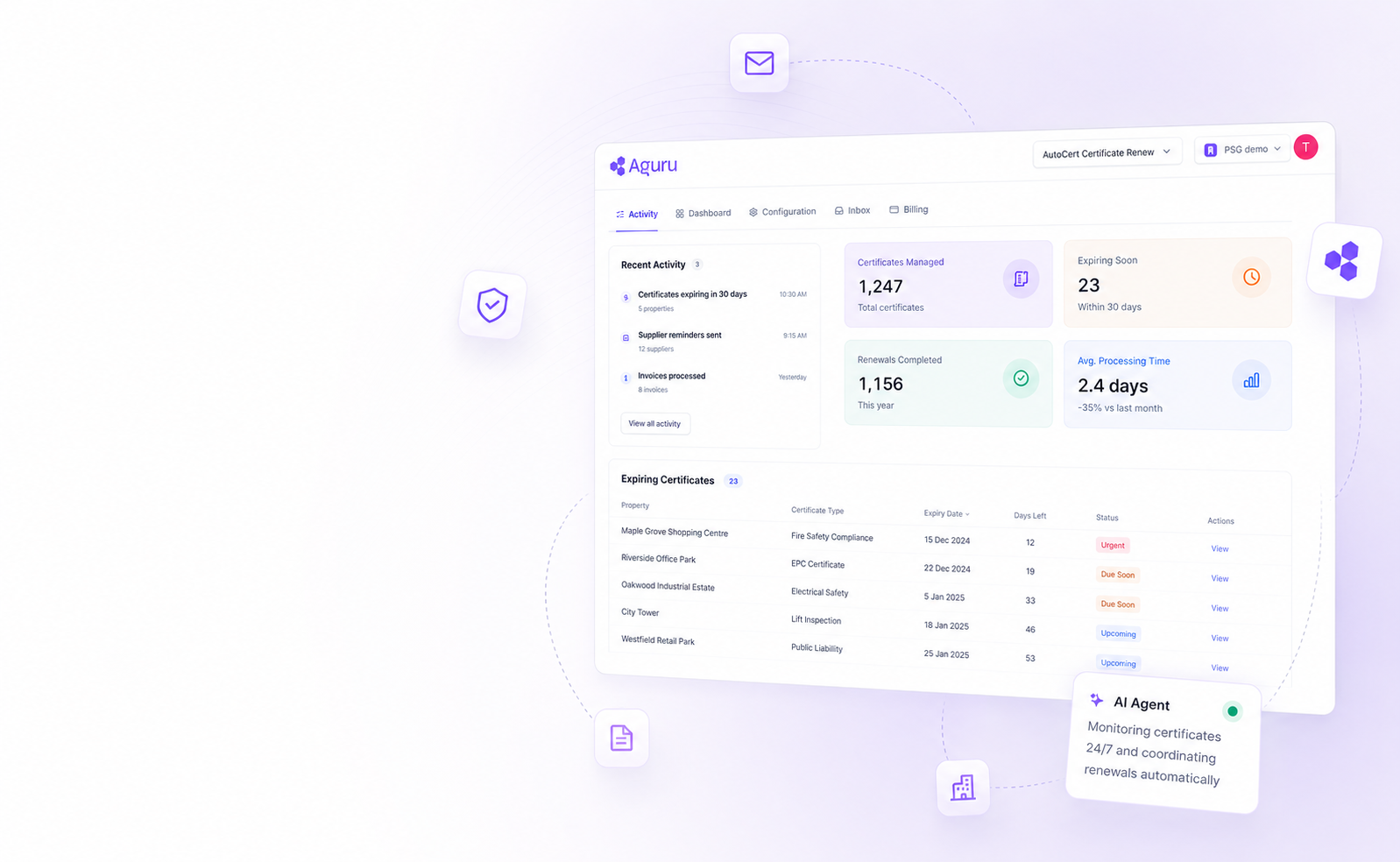
Every renewal, in one view.
Track expiring certificates, supplier activity, and AI agent progress in real time — without leaving Alto.
Why your agency needs AutoCert.
Three reasons portfolio directors hand certificate renewals to AutoCert and never look back.
80% reduction in admin time per certificate
AutoCert automates the 10+ steps involved in every renewal, including supplier coordination and landlord communication, reducing admin time by over 80%.
24/7, always on
AutoCert automatically detects and renews soon-to-expire certificates, helping your team avoid missed due dates and compliance risks, even during busy periods.
No learning curve or system disruption
AutoCert runs directly inside Alto behind the scenes, so there's no new system to learn and no disruption to your existing setup.
How AutoCert works.
AutoCert runs quietly in the background of your Alto system, handling every stage of the renewal lifecycle automatically.
Decide
AutoCert detects expiring certificates in Alto and reads the property setup to determine the right workflow, whether fully managed or let-only with landlord-managed works.
Coordinate
Creates work orders, books suppliers, contacts tenants, informs landlords, and automatically follows up when responses are delayed.
Validate
Every certificate is checked against regulatory requirements. Invalid certificates are rejected automatically with clear correction requests sent to the supplier.
Complete
The valid certificate is uploaded into Alto and shared with landlords and tenants automatically.
Invoice
Supplier invoices are scanned and raised directly against the work order in Alto, with no manual reconciliation required. (Optional)
Try it for free
Getting started is simple.
Three steps from first conversation to a fully running AutoCert deployment.
Book a 30-minute demo
We'll walk you through how AutoCert works and answer any questions you may have.
Activation within 48 hours
Your Alto Account Manager will activate AutoCert in your Alto account and get everything set up within 48 hours.
Launch and monitor
You'll have access to a dashboard to track renewals, along with full support for any questions or adjustments you may need.
Frequently asked questions.
Available exclusively for Alto usersTry AutoCert for free today.
Join property management directors who have handed certificate renewals to AutoCert, and got their time back.
Try it for free